Supabase setup
Supabase is a hosted PostgreSQL database. It can serve your tables as a GraphQL API, so Silex can use them as a CMS. This page takes you from a new Supabase project to a data source connected in Silex.
A new Supabase project is not ready for Silex. You need to do three things in Supabase first:
- install the GraphQL integration
- allow GraphQL introspection
- let visitors read your tables
Each step is explained below.
Creating the project and a table
- On supabase.com, create a new project. Keep the default security options
-
Open the SQL Editor and create a table. Example for a blog:
create table blog_posts ( id bigint primary key generated by default as identity, title text not null, slug text unique not null, excerpt text, content text, created_at timestamp default now() ); insert into blog_posts (title, slug, excerpt) values ('Hello Silex', 'hello-silex', 'First post'), ('Second post', 'second-post', 'Another one'); -
Click Run. Supabase asks about Row Level Security (RLS): choose Run and enable RLS
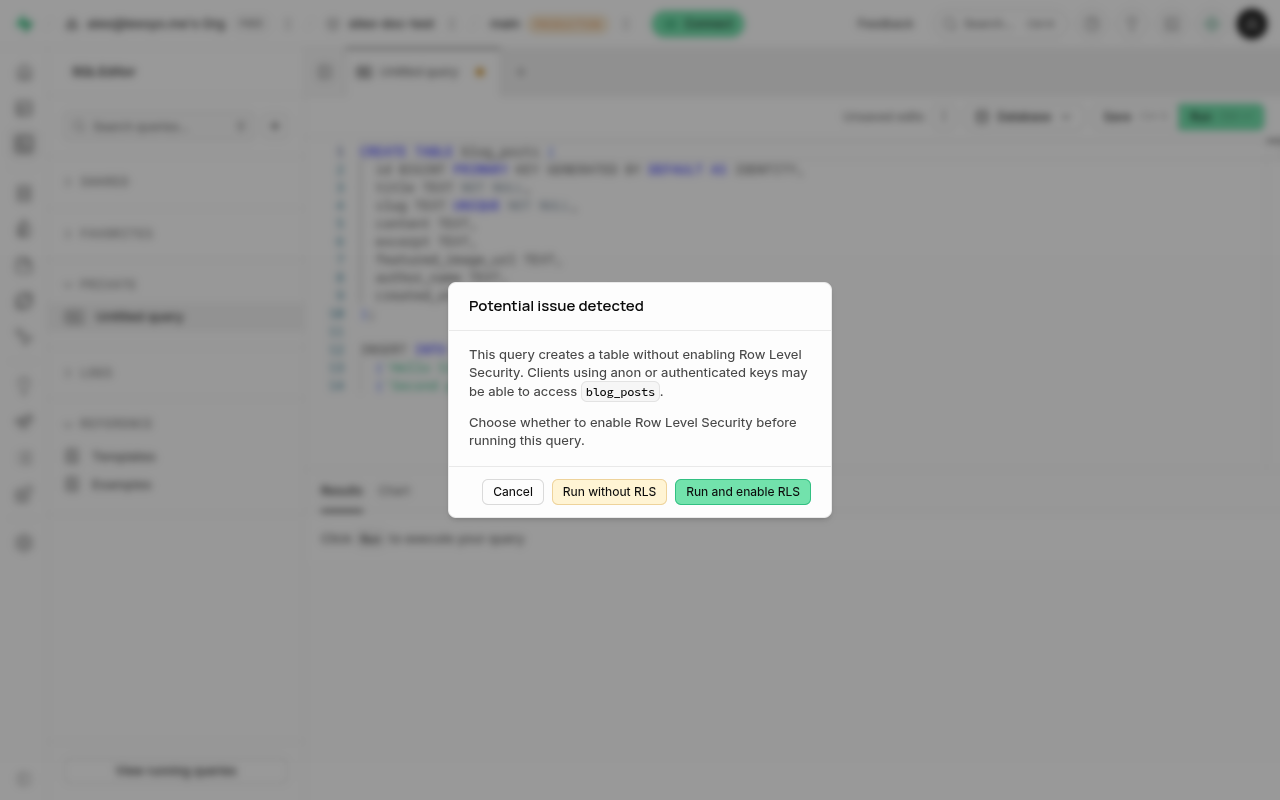
Do not choose "Run without RLS". Without RLS, anyone who has your public key can change or delete the rows of the table, not only read them. Your public key ends up in your website settings, so treat it as public.
No spaces in table names
Use names like blog_posts, with _ instead of spaces. Supabase lets you create a table named Test Table 1, but this table is left out of the GraphQL API, and Silex does not see it.
Installing the GraphQL integration
GraphQL is not installed in a new project.
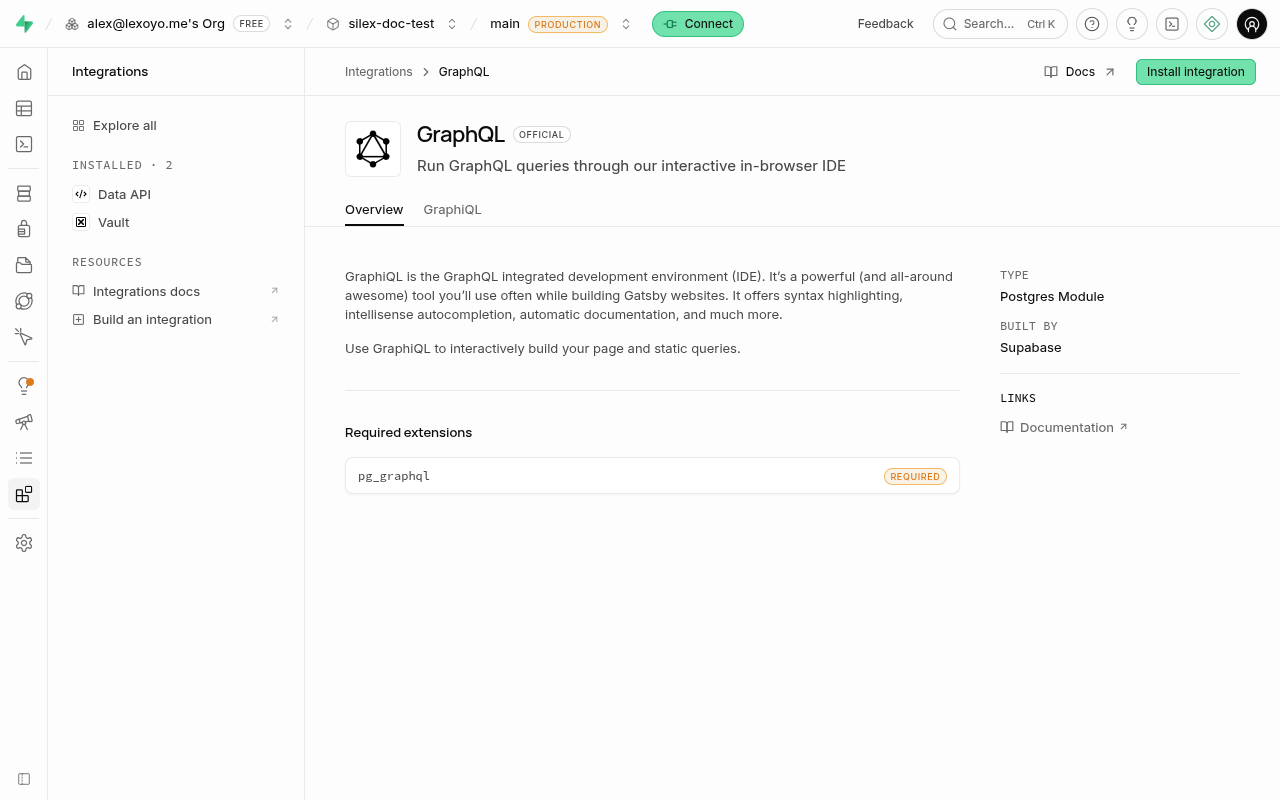
- In the left menu, open Integrations
- Search for GraphQL and open it
- Click Install integration, then confirm
Allowing introspection and reading
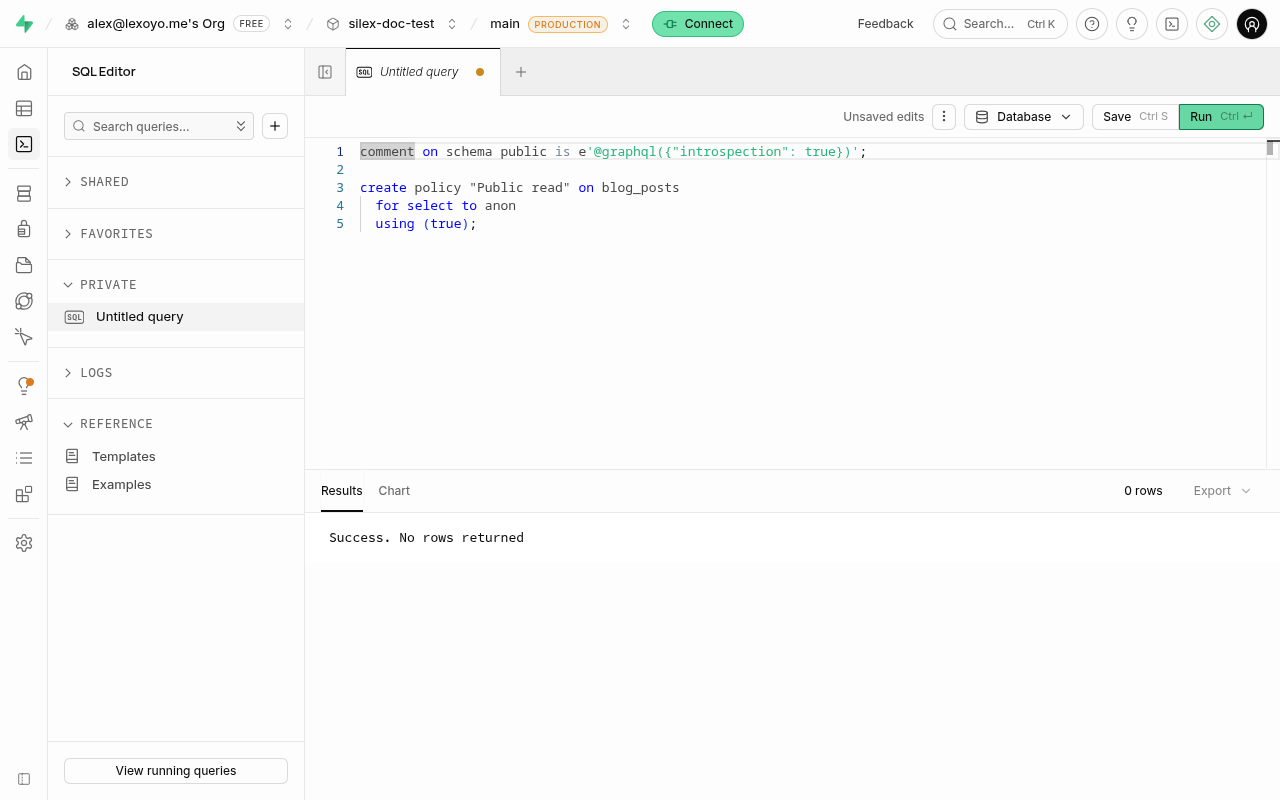
Silex reads the list of your tables and fields with a GraphQL "introspection" query. Supabase blocks this query by default. Visitors also need the right to read your tables, because RLS blocks everything until you add a policy.
In the SQL Editor, run:
comment on schema public is e'@graphql({"introspection": true})';

create policy "Public read" on blog_posts
  for select to anon
  using (true);
Add the same create policy line for each table you want to show on your website. This policy only allows reading: nobody can change your data with the public key.
Finding the URL and the key
URL: your GraphQL endpoint is your project URL followed by /graphql/v1:
You find the project URL on the home page of your project.
Key: open Project Settings then API Keys, and copy the Publishable key (it starts with sb_publishable_). The legacy anon key also works.
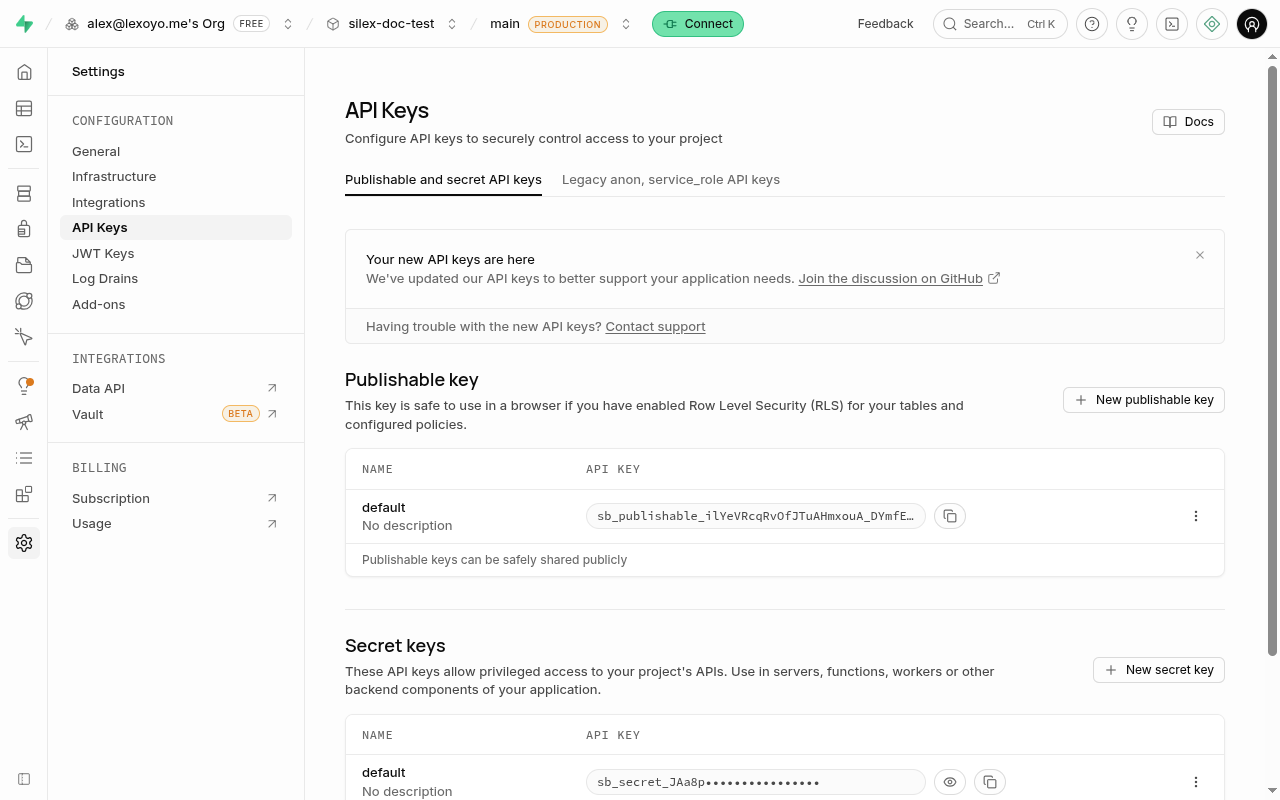
Never use a secret or service_role key in Silex. They give full access to your database.
Wrong URL
The GraphiQL explorer of the Supabase dashboard sends its requests to api.supabase.com/platform/.... This URL is for the dashboard only, it does not work in Silex.
Connecting Silex
- In Silex, open Settings, then the CMS tab
- Click Add Your First Data Source (or the + button)
-
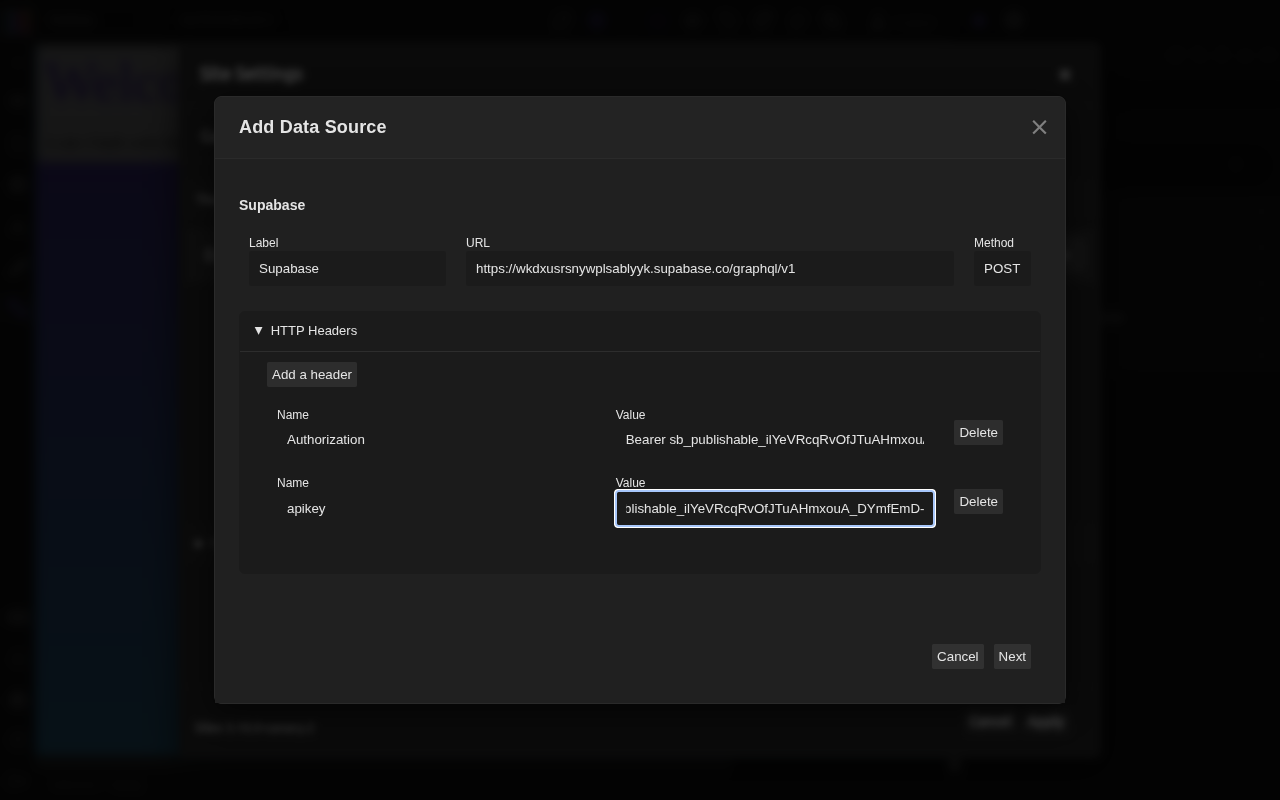
Fill in the form:
- Label: a name for you, for example
Supabase - URL:
https://YOUR-PROJECT.supabase.co/graphql/v1 - Open HTTP Headers and add two headers:
Authorizationwith the valueBearer YOUR_KEYapikeywith the valueYOUR_KEY
- Label: a name for you, for example
-
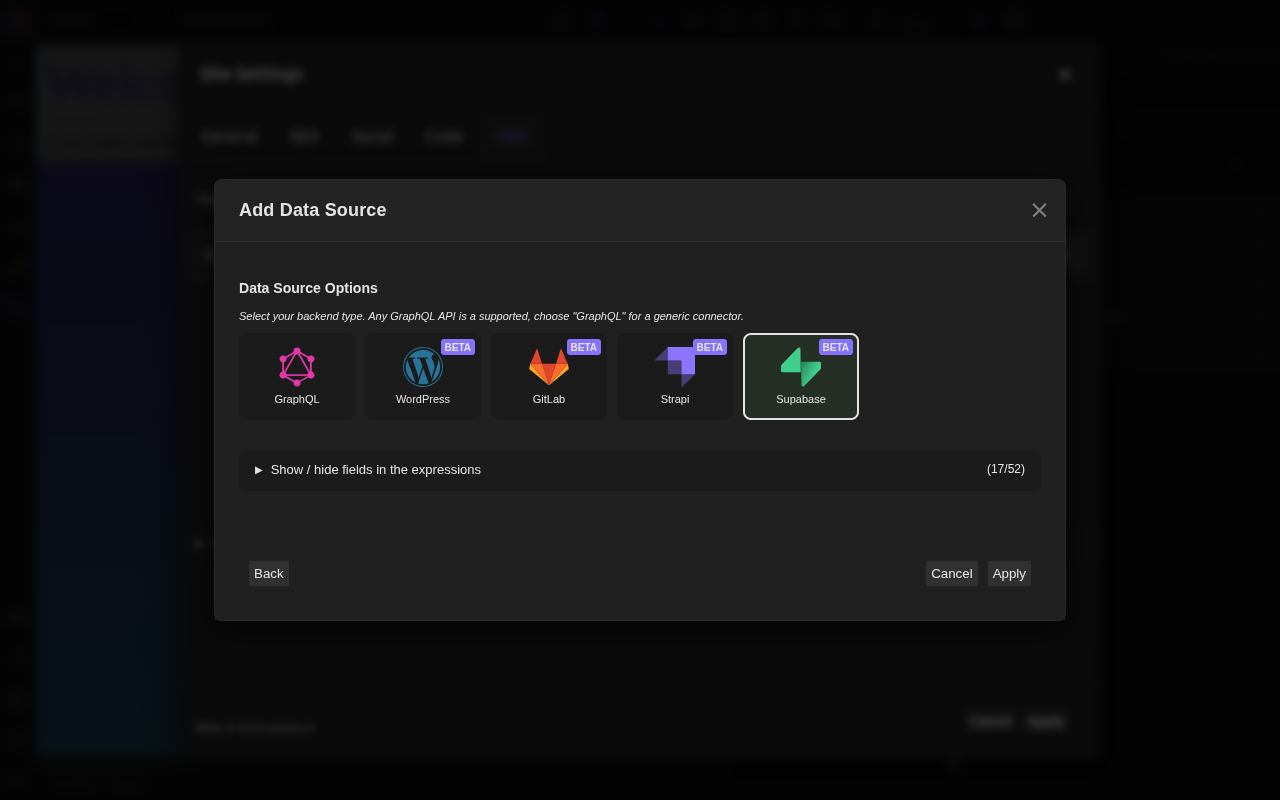
Click Next. Silex reads your schema
-
Choose Supabase as the backend type, then click Apply
-
The data source shows Connected in the CMS tab
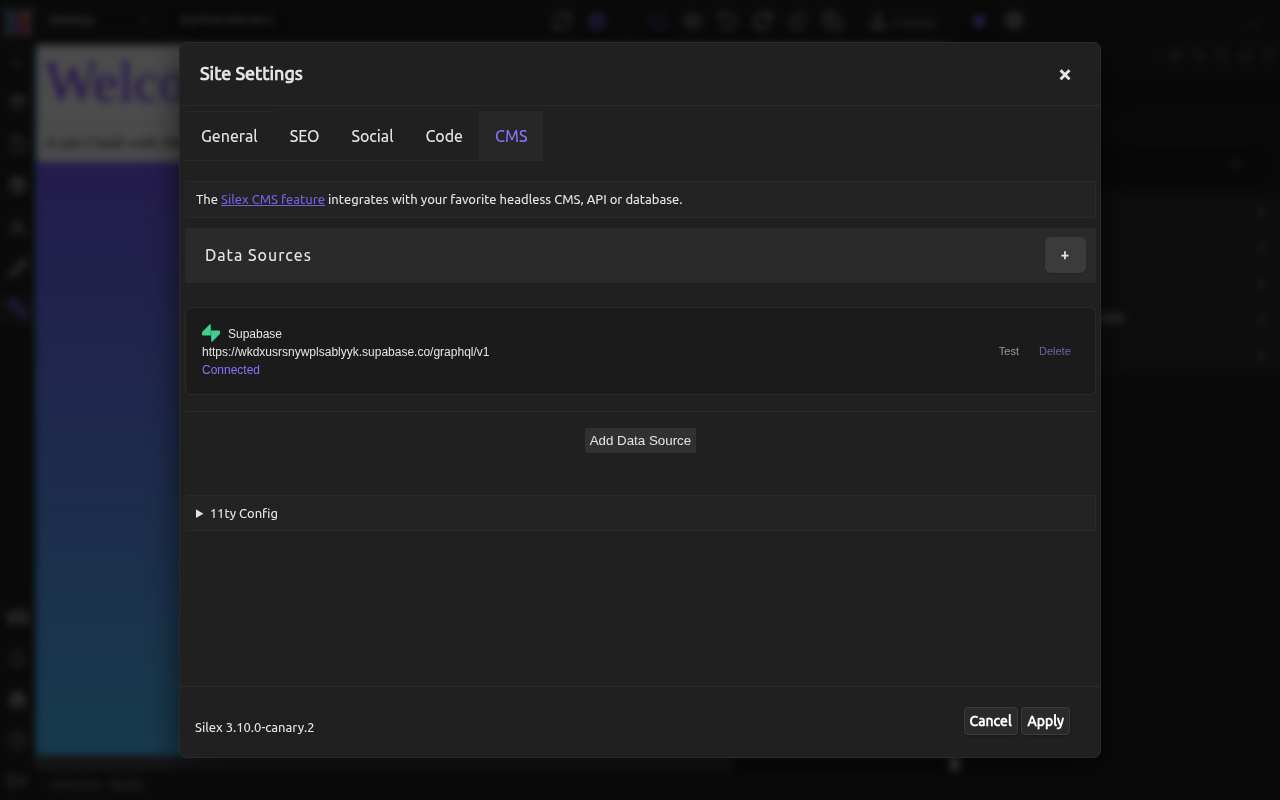
Your tables are now available in the expressions. See Binding data and Loops to display them.
Common errors
These messages show under the form when you click Next.
pg_graphql extension is not enabled: the GraphQL integration is not installed. See Installing the GraphQL integration.
Unknown field "__schema" on type Query: introspection is blocked. Run the comment on schema line from Allowing introspection and reading.
No fields found in GraphQL schema: the connection works, but Silex sees no table. Check that your table is in the public schema and that its name has no space.
The lists are empty on your website: the table has RLS but no read policy. Add the create policy line for this table.
Learn more
- Connecting a data source: the data source dialog in detail
- Binding data: displaying your data on your pages
- Supabase: GraphQL configuration: introspection and other options
- Supabase: Row Level Security: writing policies